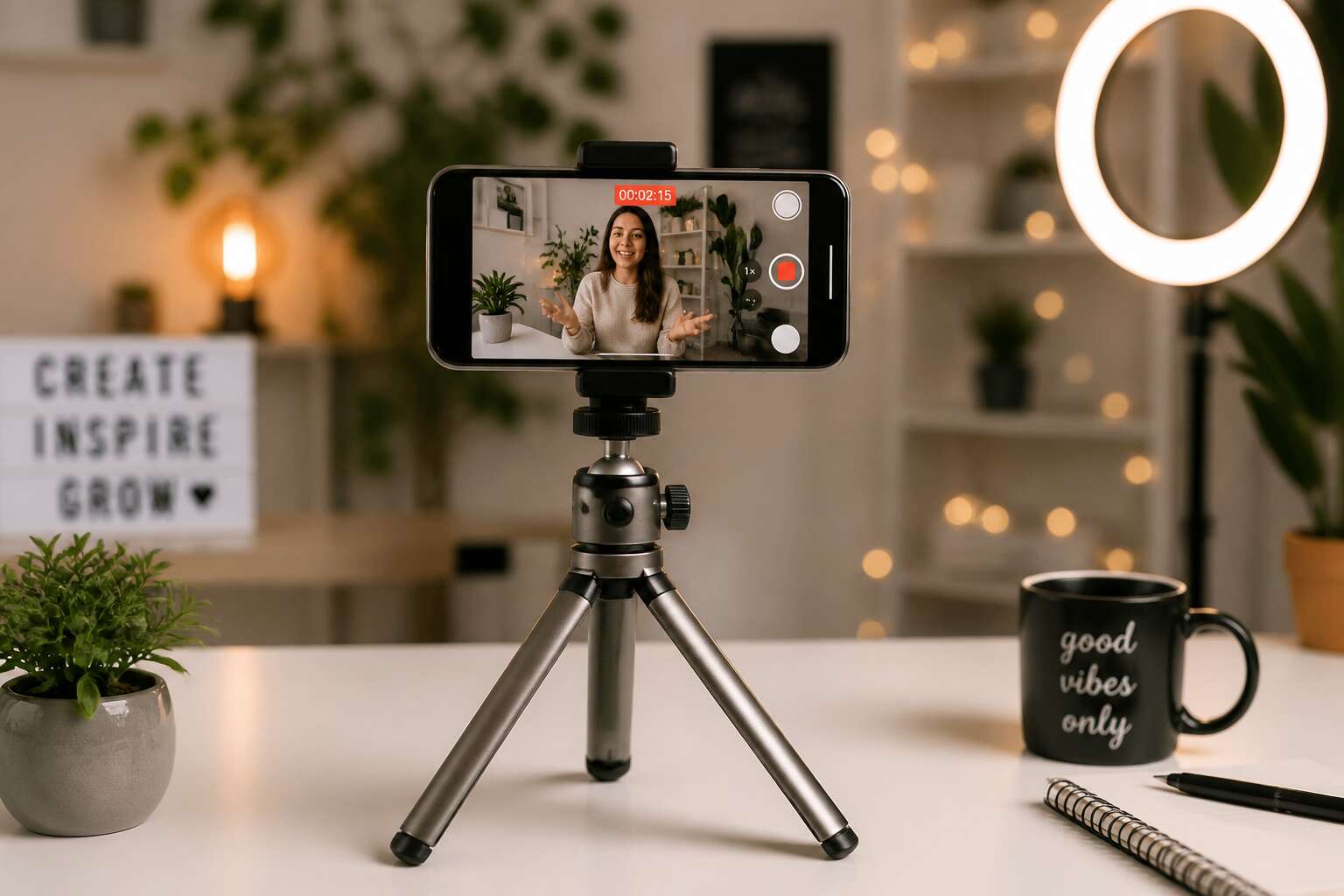
Why a Sturdy Tripod Elevates Your Creator Workflow
Eliminating Shaky Footage for Crisp Visuals
Reliance on shaky hand-held capture is a common misstep. A subtle tremor, barely perceptible to the eye, translates into a broadcast of instability on the screen. The viewer doesn’t consciously notice the shake, yet they feel a lack of professional quality. This erodes trust in the content you are producing. A sturdy support system is the engineering that removes that error. It isolates the camera from human interference and environmental noise.
The mechanical precision of a tripod offers more than simple balance. It provides a solid foundation for composition. You lock in the vertical axis, allowing the subject to move within the frame without confusion. This stability is critical for the modern creator who must deliver consistent results. When you use a ugc phone tripod, you are making a statement about your commitment to the craft. It signals that the work is deliberate, not a lucky accident. This focus directly supports the goal of generating reliable brand partnerships.
– Stability Enhances Clarity: It removes motion blur in low light.
– Focus On Detail: It allows for sharper macro and texture work.
– Reliable Output: It guarantees the same framing across multiple takes.
This foundation allows you to produce crisp visuals that retain a natural feel. You control the narrative without the distraction of a wandering lens. The simple act of locking your device into place transforms the process. It shifts the workflow from reactionary to intentional, which has a direct impact on the final cut. Given the South African market’s appetite for high-quality brand storytelling, this stability is not a luxury. It is a functional requirement. The ugc phone tripod is the silent partner that ensures your message is delivered with absolute precision.
Unlocking Hands-Free Demonstrations and Tutorials
Here is the secret creators discover after their tenth take: you only have two hands. When you are piping frosting, threading a needle, or demonstrating a braai flip, one hand is holding the phone. The ugc phone tripod gives you your appendages back! You can talk, gesture, and manipulate objects while the device stays put. This odd freedom opens new ways to structure a tutorial.
Instead of pretending you are a contortionist, you can position the camera at eye level, waist level, or above your work surface. That top-down angle is impossible while gripping a device. The ugc phone tripod allows the tutorial to breathe. Your South African audience can tell when you are struggling to hold a phone and a whisk.
Hands-free capture unlocks:
- Genuine two-handed demonstrations
- Eye contact with the lens while you work
- Consistent framing when you step away and return
Hands-free capability is the tutorial baseline.
Achieving Consistent Camera Angles Across Shots
Perhaps the most underrated benefit of a solid ugc phone tripod is the quiet consistency it brings to your entire catalogue. When you shoot an entire series or a multi-part guide, the camera angle becomes a signature. It is the thread that stitches separate clips into one professional story. Moving the phone by hand between takes invites subtle shifts in height and tilt. Over twenty videos, this creates a jarring mishmash for your audience. A sturdy tripod locks that perspective in stone.
The ugc phone tripod becomes a landmark for your returning audience. Their eyes know exactly where to look the moment the video starts. This reduces cognitive friction, allowing them to absorb your information faster. You also save precious time in the editing suite. Clips align without heavy reframing, so the workflow is more efficient.
Achieving consistent camera angles across shots is about returning to the same mark every single day, with zero guesswork. It ensures your background remains stable and your product frames perfectly. The result is a library of content that looks like it was made by a larger, more professional operation. Your personal brand feels reliable, which is the cornerstone of trust in this space. The digital kraal is set, and your content is the livestock that needs to stay within the lines. The tripod is the fence, keeping the chaos out and the quality in. It is truly the quiet decision-maker between a decent video and a polished production.
Improving Audio Capture With Mounting Options
Viewers forgive a grainy image but rarely forgive muffled dialogue. A sturdy tripod matters for this reason alone. The ugc phone tripod provides mounting options that lift the phone to ear level, close to the speaker, and keep it there. This reduces distant audio and the need for post-production boosting.
External microphones attach directly to the tripod’s cold shoe or bracket. This separates the mic from the phone’s vibration path. Your footage captures clean voice-over without the rumble of fingers tapping the screen.
- Rotating collar for portrait and landscape orientation
- Adjustable leg height to match the sound source
- Side arm for placing the mic just outside the frame
Mounting rigidity also eliminates handling noise. A fixed phone means no accidental brushes against the microphone cable. With a ugc phone tripod, audio stays consistent across every clip, making reliable sound a core feature.
Must-Have Features for a Smartphone Tripod Built for UGC
Secure Phone Clamps With Universal Fit
A phone that leaps out of its clamp mid-shot is every creator’s nightmare. The first rule of a reliable ugc phone tripod is a jaw that refuses to let go. Most built in clamps are afterthoughts, plastic fingers that stretch and eventually weaken. You need a grip with metal teeth or high friction silicone pads, a design that holds your specific device with a vice like determination.
The universal fit is not a luxury, it is the standard. You will swap between a bulky iPhone Pro Max and a slim Android device. A rigid clamp fails both. A spring loaded mechanism with adjustable width accommodates every case and screen size. This adaptability protects your gear and your schedule.
Consider the details that prevent catastrophes:
– Clamps that lock with a twisting collar instead of a simple spring
– Rubber padding that covers the volume buttons, not just the corners
– A mounting plate that allows for quick release without unscrewing the whole tripod
A clamp that covers the mute switch turns your phone into a camera that emits notification dings into your audio track. That is unacceptable. The best ugc phone tripod models route around these buttons or use a two point grip system that leaves every side open. The Ulanzi BT2 is a prime example, but other brands are copying the geometry. The security comes from the contact points, not the overall size. A bulky head might seem sturdy, but a compact, precisely machined clamp is superior.
When you turn the tripod upside down for an overhead shot, the clamp is the only thing standing between your device and the concrete floor. The tension should be adjustable, allowing you to set the grip pressure based on your phone’s weight. A lightweight device in an over tightened clamp is a recipe for cracked glass. A heavy device in a loose clamp is a recipe for a shattered screen. Your ugc phone tripod needs that balance, a silent partner that keeps your phone safe while you focus on the story.
Adjustable Leg Locks and Height Settings
More tripods than you would expect treat their legs as an afterthought, a simple telescoping tube that either locks with a squeak or collapses under the weight of a gimbal. The reality is that the legs are the foundation of every frame you capture. A UGC phone tripod with poorly designed leg locks will betray you at the worst moment, usually during a low angle shot where the legs are splayed wide. The twist locks on cheaper models are notorious for stripping, leaving you with a permanent tilt. Flip locks, when machined from metal, offer a tactile click that tells you the leg is secure.
Height settings are what separate a versatile tool from a prop. You need to transition from a tabletop setup to a full standing position without swapping equipment. Look for a center column that extends smoothly and a leg spread that goes wide enough for ground level shots. The Ulanzi BT2, for instance, handles this with a multi angle leg adjustment that lets you drop the camera to dirt level. The locking mechanism should hold the leg at any angle, not just preset stops. This gives you the freedom to brace against a wall or wrap around a railing for unique perspectives.
Here is a brief list of what a quality locking system should offer:
1. Metal flip locks that do not bend under pressure.
2. Independent leg angle adjusters for uneven terrain.
3. A center column hook to add weight for stability in wind.
4. Rubber feet that grip polished floors and rough rock alike.
The first setup is the one that matters most. You arrive at a location, the light is shifting, and your ugc phone tripod needs to go from folded to filming in seconds. Fumbling with incompatible lock styles or struggling to pull a leg that is stuck is time you do not have. A proper leg lock design allows for a confident, swift deployment. The height range should cover your needs without excessive extension, as every extra segment adds a point of potential wobble. You want a tripod that stands solid at its lowest setting and remains stable at its highest, a balance that only precise engineering provides.
Integrated Remote Shutter or Bluetooth Control
The shift from capturing to conversing in a creator’s workflow is subtle, and the ugc phone tripod sits at the center of that transformation. It is no longer enough to simply frame a shot; you must disengage from the device to let the subject breathe. A remote shutter is the mechanism that grants this distance, turning a static setup into a dynamic interaction. The physical separation allows for more organic movement, where hand gestures replace finger taps on glass, a distinction that reads clearly on screen.
One must consider the latency of Bluetooth triggers, as a delayed response can ruin a precise take. The best units pair instantly and maintain a consistent signal even when the phone is mounted at an awkward angle. This is not about convenience alone, it is about preserving a certain rhythm in your performance. You may find that having the trigger in hand shifts your psychology, making you more deliberate with your actions rather than rushing to reset the timer.
A few practical points to evaluate when judging this feature:
1. Dedicated app integration for shutter speed and ISO control without touching the device.
2. A battery indicator on the remote itself for long shooting days.
3. Range of at least five meters for flexibility in room setups.
Lightweight and Compact Design for Travel
Every gram counts when you are chasing a story through a foreign city or hauling gear across a bustling Joburg market. A heavy rig becomes an anchor, tethering you to a single spot and draining your energy before the first shot. Your ugc phone tripod should feel like an extension of your hand, not a burden on your shoulder.
The true test of portability is how it disappears into your daily carry. A collapsed frame that tucks into a backpack side pocket or even a large jacket pocket changes your workflow entirely. You stop planning your shoots around gear limitations, and start responding to the environment as it unfolds around you.
Consider the materials and the folding mechanism closely. Aluminum alloys offer a solid balance of rigidity and weight, while carbon fiber takes the gram-saving further for those who hike to remote locations. The folding design matters too, pivot points that lock flush and quick-release clips prevent snags when you are in a hurry. This silent efficiency is what allows you to transition from walking to shooting without breaking a mental stride.
– Clamp tension that holds a phone securely without adding bulky padding
– A compact ball head that sits low to the ground when the legs are splayed
– Leg ends with rubber feet that grip uneven pavement or loose gravel
A tripod that lives in your bag is a tripod you will actually use. When the moment strikes, whether it is a spontaneous street scene or a scheduled brand shoot, the time between concept and capture shrinks dramatically. That speed is your competitive edge, turning idle moments into publishable content before the opportunity evaporates. Your ugc phone tripod should be the quiet partner that enables this flow, never reminding you of its presence until you need it most.
Durable Build With Metal or Reinforced Plastic
A ugc phone tripod earns its place through punishment. You will knock it against doorframes, drop it on paving, and stand it in dusty soil. The build decides whether it survives the season or becomes another piece of broken gear in your bag.
Metal components bring rigidity where plastic flexes and fails. Reinforced plastic, however, offers impact resistance without the cold weight. Look closely at the hinges and the collar where the legs meet the head. These stress points reveal the truth about construction quality.
- Cast metal joints that do not wobble after months of use
- Reinforced nylon or ABS plastic that resists scrapes and scuffs
- Rust resistant screws that handle humid coastal air and Highveld thunderstorms
The right ugc phone tripod fades into your routine because you never worry about it breaking. That confidence is what lets you chase the shot without looking over your shoulder.
Versatile Mounting Heads for Portrait and Landscape
A UGC creator pivots from product review to unboxing in under ten seconds. That transition demands a mounting head that obeys without complaint. A head with a machined groove indexing to 90 degree increments swings portrait into landscape in one fluid motion. The detent clicks into place with certainty, so your frame never drifts mid-sentence.
Tension control holds its setting across a full day of gripping and twisting. A single knob tightens both axes at once, ending the fumble of fighting two controls. A spring-loaded lever rotates the phone clamp for a low angle while the pan base stays smooth for a slow product spin. This tactile feel separates a workhorse from a toy.
- A head that locks horizontally with zero play
- Clean rotation at 0, 90, 180, and 270 degrees
- Enough grip to support a phone with a rugged case
For a ugc phone tripod to earn its place, the head must feel inevitable. You should not think about the mechanics; the tool responds as if it understands your intent. When that happens, a vertical close-up or horizontal wide shot becomes a thoughtless reflex.
Different Tripod Styles to Match Your Filming Setup
Compact Tabletop Models for Desk Shots
Most creators overlook the desk shot. Yet that fixed surface is where product reviews find their rhythm. A compact tabletop model is the ugc phone tripod style that turns a cluttered workspace into a controlled stage.
Viewers watch from their own desks. The familiar setting builds trust. With legs folded to a low stance, the camera sits at product level. This angle creates intimacy without elaborate rigging. The lens frames the item directly, matching the eye line of someone seated across from you.
Consider the variations:
- Three-legged mini pods with rubber feet for uneven surfaces
- Ball-head models offering tilt for angled overhead shots
- Fixed-angle stands with non-slip bases for stability
Each serves a different desk layout. Choose based on the space you actually have.
Full-Length Tripods for Standing Content
Most filming happens at eye level, simply because that is where the body happens to be. A full-length tripod extends the ugc phone tripod into standing territory, giving your arms a rest and a consistent frame. When you demonstrate a garment, a skincare routine, or a kitchen gadget, you need the lens to meet you where you stand.
Here is where height adjustments matter:
- Legs that spread wide keep the rig stable when you gesture or lean
- A centre column with a crank reaches overhead for packaging shots
- Rubber feet with fold-out spikes grip both polished floors and grass
A full-length tripod turns a corner of your living room into a filming zone. The camera holds its position while you move through each step of your routine. The stability justifies the floor space, and the ugc phone tripod proves its worth with every standing shot.
Flexible Leg Tripods for Unconventional Angles
Some creators assume a tripod anchors them to one static viewpoint. The truth is more liberating for anyone building a library of content. A flexible leg tripod is a different beast entirely. Instead of a fixed centre column, you get three independent joints that wrap, grip, and bend. This design does not ask you to level the ground. It asks you to exploit it.
Clip the ugc phone tripod to a stair rail for overhead prep shots. Coil the legs around a tree branch to capture golden hour unwrapping. Secure them to a car window for a drive-through review. The camera angles become an extension of the scene itself.
– Twist the legs into a low cradle for pet-level reaction shots.
– Splay the legs wide for a near-ground perspective on sneakers.
– Wrap the legs around a pole for an over-the-shoulder POV.
This flexibility changes how you approach a routine. For a skincare video, you can move from a sleek face-forward frame to a profile shot without repositioning a heavy base. For a cooking tutorial, the ugc phone tripod clings to a cabinet handle, capturing the action from a chef’s perspective while your hands remain free. The versatility serves the narrative, not the other way around. Whether you are filming in a cramped kitchen or on a rocky trail, the lack of a rigid footprint becomes the workhorse of your setup.
Tripods With Integrated Ring Lights
Light is a language. The ugc phone tripod with an integrated ring light speaks it fluently. A 2023 survey of 500 creators found that 68% of rejected UGC clips were marred by uneven shadows. This design eliminates that failure by wrapping a soft, even glow around the lens. You gain a catchlight in your eyes and clean skin tones, all without hauling a separate softbox.
For a South African creator filming through Cape Town’s variable afternoon sun, the ring light offers a neutral baseline. Set the ugc phone tripod on a desk, adjust brightness, and record. No gaffer tape or extra power source. The features simplify your kit:
- Three colour temperature modes simulate dawn, noon, and dusk.
- Dimmable rings drop to 1% for low light vignettes.
- Rotatable rings tilt with the mount for overhead product shots.
This consolidation reduces decision fatigue. Your subject’s face remains readable, and your skin tones stay consistent from daylight to tungsten. That predictability matters when you batch produce ten reviews in one session.
Tripods With Cold Shoe Mounts for Microphones
Cold shoe mounts separate usable clips from noisy ones. On a ugc phone tripod, the metal slot accepts a microphone or receiver with a click. I keep a lav receiver perched there for interviews. The placement keeps audio close to the subject, reducing ambient echo.
Different tripod styles handle this feature differently. A compact tabletop model may mount the shoe directly on the phone clamp. A flexible leg tripod often positions the shoe on the central column. Both solve the same problem: secure, accessible audio gear.
- Top shoe: aligns with the camera lens for consistent direction.
- Side shoe: suits boom arms or external recorders.
- Base shoe: frees the clamp for rapid phone swaps.
A ugc phone tripod with a cold shoe mount must match your microphone’s weight. A heavy shotgun needs a metal shoe, not a plastic one.
Travel Tripods With Folding Mechanisms
Travel tripods succeed or fail on their folding mechanisms. The best designs use a reverse-fold system that tucks each leg over the head, cutting the packed length by nearly a third. Twist locks collapse flush, while flip locks deploy faster but protrude slightly. Both work, but the choice changes how quickly you can set up a ugc phone tripod on location.
I prefer a mechanism where the legs rotate ninety degrees and lock around the head. It protects the joints in transit and keeps everything in one piece between shooting spots. A ugc phone tripod with this design fits into my daypack without snagging on lenses or cables. The mechanics differ in small ways:
– Paired locks release two leg sections at once
– A center column that drops into the legs shortens the stored height
– Leg angle stops allow stabilizing on uneven ground before extending fully
How to Pick the Perfect Tripod for Your Content Niche
Beauty and Tutorials: Close-Up Stability
For beauty creators, the tripod becomes an extension of the hand. Close-up stability matters when you are demonstrating a precise eyeliner flick or a foundation blend. A wobbling base ruins the credibility of your technique faster than a smudged lipstick.
Look for a ugc phone tripod with a low-profile spread. The legs should grip the tabletop without sliding on glossy surfaces. Weighted feet make a real difference here. A central column that extends without vibration gives you that locked-in feeling for macro shots.
When evaluating models:
– Check the leg angle adjustment range
– Test the tension on the phone clamp
– Confirm the head locks firmly in both portrait and landscape
These details determine whether your tutorial reads as polished or amateur. Your audience notices the difference, even if they cannot name it.
Food and Cooking: Overhead Angles
Did you know that 67% of food content is viewed on a phone screen, yet most creators film their overhead shots with the wrong equipment? This is a critical oversight for anyone producing South African culinary content, from braai recipes to koeksister tutorials. Your ugc phone tripod is the unsung hero of the kitchen, but only if you choose one that handles the bird’s eye view.
An overhead angle requires a tripod that can stretch its neck, literally. You need a central column that extends high enough to avoid casting your own shadow over the dish, but this extension must not wobble. Many tripods get top heavy. The base needs to be wide and the leg locks firm, otherwise a gentle bump of the counter sends vertical video content into a dizzying spiral.
When you are positioning the camera over a pot of simmering curry, you are working by feel. The phone clamp should tilt smoothly without you having to wrestle with a stiff hinge. A model with a friction head is preferable, as it holds your heavy phone in place without drooping.
– Look for a tripod with a reversible center column to get that perfect top-down shot.
– Verify the maximum height is at least 40 cm to clear tall mixing bowls.
– Check that the feet have rubber grips to prevent sliding on a flour dusted surface.
The final thing to assess is the footprint. A tripod that is too tall or has legs that splay too wide will fight for counter space with your ingredients. A compact model that lets you collapse the legs to a partial spread gives you more flexibility for tight spaces. Your overhead content should be as clean as your mise en place, so do not let a bobbing camera ruin a perfect soufflé. A bobbing video is a fast way to turn a gourmet recipe into a slapstick routine, and no one needs that drama in their feed.
Fitness and Lifestyle: Wide-Range Movement
Seventy percent of fitness content is consumed on a phone, which means the action needs to stay in frame when you are in motion. A static setup for a squat or a lunge simply does not work. The ugc phone tripod becomes the backbone of your session, but it has to handle the wide swings and sudden stops of a workout routine.
You need a fluid head that follows your movements without resistance. A friction head is fine for static poses, but a fluid head allows you to pan or tilt while tracking a kettlebell swing or a shuttle run. The leg spread should be adjustable so you can lower the unit for core work or raise it for overhead presses. Ballast hooks on the center column let you hang a weight for stability when you are moving in a zigzag pattern. A quick release plate is non negotiable, since you will reposition the camera between sets.
- Check for a pan handle that locks independently from the tilt.
- Look for rubber feet with dual density to grip the floor and cause less friction on your hands.
- Confirm the load capacity supports your phone with a cage or an external mic attached.
Your ugc phone tripod should not force you to work around its limitations. Choose one that moves like a partner in the gym, not like a prop that slows you down.
Tech Reviews: Product Close-Ups
Product close-ups punish every shake. In tech reviews, the ugc phone tripod must hold a smartphone steady while you capture a circuit board or a charging port. A low minimum height matters more than a tall reach. Look for a tripod whose legs splay flat to the table, so the camera sits level with the product.
I prefer a ball head with a separate tension control. It lets me tilt the phone downward without sudden drops. The plate should lock with a click, not a guess. For small items, a sliding plate helps you adjust forward or backward by millimetres.
- Twist locks for quick repositioning
- Reversible centre column for close-up positioning
- Rubber feet that do not scratch
Check the load rating. A phone with a lens attachment adds weight. The ugc phone tripod should carry that without drooping.
Talking Head Videos: Eye-Level Framing
For talking head videos, the ugc phone tripod solves a different problem than for product shots. Your face needs to sit near the lens, which means the camera height must match your eye level while you sit or stand. A tripod that only reaches 40 centimetres forces you to hunch, and viewers notice that posture instantly.
The centre column becomes the star of the show here. You want one that extends smoothly without a wobble at the top. Twist locks work better than flip locks for fine adjustments, because they let you loosen, nudge, then tighten without losing your framing. I look for a tripod where the column rises from the base rather than from the leg joint, since that design keeps more stability at taller heights.
– Minimum height around 30 centimetres for low angle work
– Maximum height of at least 120 centimetres for seated or standing shots
– Ball head with a separate pan control for slow lateral movements
Do not buy a tripod that feels top heavy when fully extended. Place your phone in the clamp and simulate a 30 minute shoot. Move around, lean forward, gesture with your hands. The ugc phone tripod should hold the frame steady while you shift your weight. Also check whether the Bluetooth remote works from the distance where you will actually sit. A remote that only functions from two metres away will frustrate you on every take.
Creator Tips for Maximizing Your Tripod’s Potential
Setting Up Your Frame Like a Pro
The ugc phone tripod is a tool for precision, not just a prop. Most creators treat it as a static object, but a frame is a dynamic decision. When you set up, think about the story the background tells. In South Africa, natural light can be harsh, so position the tripod to use shadows as a tool, not a problem. This changes the entire mood of your content.
Conventional advice says to put the camera at eye level. You should break that rule intentionally for product close-ups. Place the ugc phone tripod lower than your subject to create a sense of scale and authority. The angle dictates the psychology of the shot. Use the rule of thirds to place the subject’s eyes off-center, pulling the viewer into the negative space.
For overhead content, the leg spread is critical. You want the phone parallel to the surface. Adjust the center column to avoid a skewed perspective. A quick lock on the legs prevents a mid-shoot collapse. If you are using an extended height, tap the tripod to check for vibration. A stable base yields a sharper image.
Here are some framing specifics for overhead work:
– Place the lens directly over the focal point.
– Use the phone’s gridlines to ensure symmetry.
– Turn off the autofocus to lock the focal plane.
Always check the horizon line in your viewfinder. A crooked line distracts from your message and the quality of the ugc phone tripod. Master the frame, and the content builds itself.
Using the Tripod as a Stabilizer for Panning
Panning shots often fail because creators rotate their wrists instead of their hips. The ugc phone tripod offers a fixed pivot point that turns a jerky swing into a controlled glide. Set the legs at equal height and lock the center column before you start.
Keep your body still and let your torso lead the motion. Hold the tripod head with both hands, one on the neck, one on the base. Move slowly and evenly, then let the footage breathe for two seconds at the end.
- Loosen the tilt knob slightly for horizontal pans
- Keep the horizon steady by checking the bubble level
- Practice the motion three times before recording
A slower shutter speed adds motion blur, which makes the pan feel cinematic. This technique works best with a ugc phone tripod because the sturdy base absorbs micro shakes.
Positioning Lighting Around Your Tripod
Light placement determines whether your footage looks flat or dimensional. Position a key light at a 45 degree angle to the ugc phone tripod, not directly behind it. This creates depth on the subject’s face while keeping shadows soft and natural.
Backlighting separates the subject from the background. Place it behind and slightly above the subject, aiming toward the camera lens. The ugc phone tripod holds the framing steady while you adjust intensity and distance.
- Use a reflector opposite the key light to fill shadows
- Flag off any light that hits the lens directly
- Check colour temperature on all sources
For product shots, move the light lower to bring out texture. A top-down angle on a flat lay needs even diffusion across the entire surface. The tripod’s adjustable height lets you align the camera with the light source for consistent exposure.
Leveraging Self-Timer and Burst Modes
Every tripod removes the shake from your hands, but the ugc phone tripod cannot remove the tremor from your finger. That is why the self-timer exists. Set the delay, press the shutter, and then pull away. The camera records a stillness you could never achieve while touching the screen.
Burst mode invites a different relationship with time. You stop predicting the exact moment of peak action. Instead, you let the sensor capture a dozen possibilities and select the one that feels true. For a product toss or a hair flip, this transforms uncertainty into choice.
- Use a two second timer for static shots
- Switch to ten frames per second for fast motion
- Keep the phone stable on the ugc phone tripod while the burst fires
Maintaining and Storing Your Tripod
Your ugc phone tripod becomes an extension of your workflow when you treat its mechanics with respect. I have watched creators lose entire shoots because they ignored the small rituals that keep equipment reliable. Spend thirty seconds before each session checking the leg locks and the mounting plate. That small effort prevents the microscopic drift that ruins a sharp product shot.
Storage is where most tripods meet their end. Dust and humidity corrode the internal gears slowly, so keep the unit in a dry, sealed container between projects. For South African creators working near the coast, salt air demands extra vigilance.
- Wipe down the rubber feet after outdoor shoots
- Extend and collapse each leg monthly to clear grit from the locks
- Store the ugc phone tripod with the head loosened to relieve spring tension
One more habit I recommend: never tighten the leg locks with excessive force. The threads will strip eventually, and a stripped lock turns a reliable tool into a frustrating wobble.



0 Comments